New Features
- Share link activities
- Glide & Show module
- Pinned presentations
- Copy section to clipboard
Share link activities
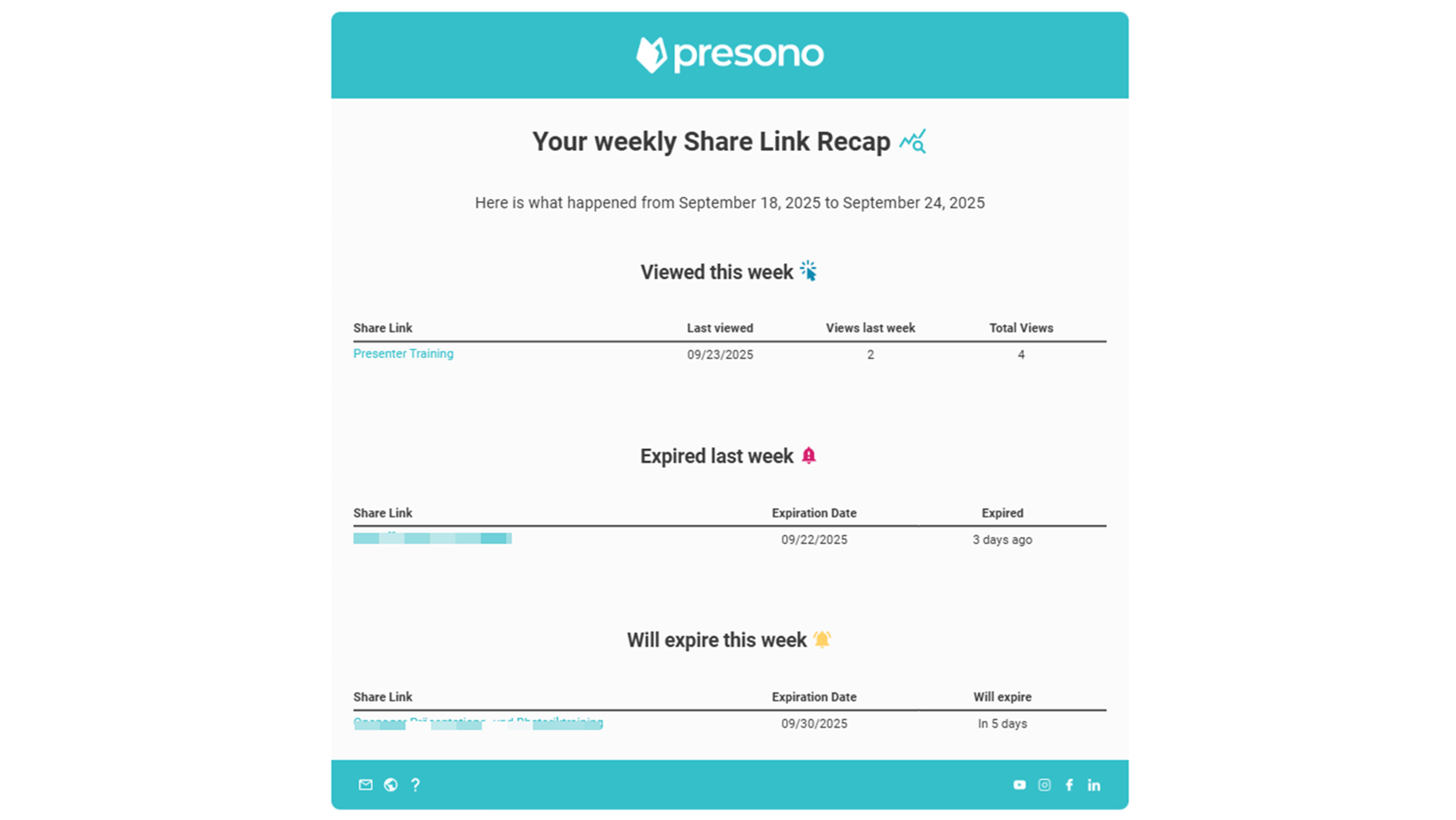
Never lose track: From now on, you can choose to receive a weekly or monthly email summary of all activities related to your shared links—which ones have been clicked, which ones are about to expire, and which ones have already expired. It's a smart reminder that shows you how your content is being used with minimal effort. Curious about how to activate notifications and what the emails look like? You can find all the details in our Knowledge Base!
Glide&Show Module
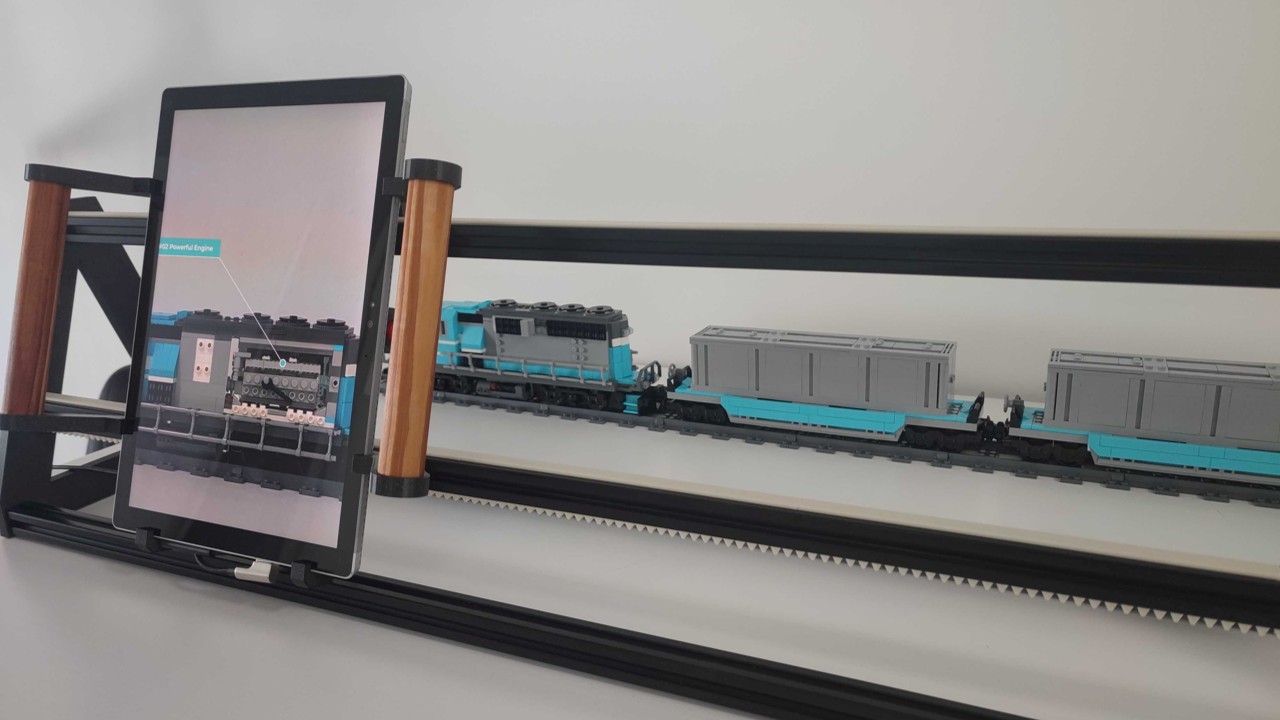
With the brand new Glide & Show module, you can literally set your presentations in motion: by moving a monitor or tablet, slides can be scrolled through dynamically – perfect for trade fairs, showrooms, or interactive installations. The module skillfully combines visualized “X-ray views”, linked overlays, and all the usual interactive features of presono (including remote control). You can find all the details in our Knowledge Base.
If you are interested, please contact your contact person at presono directly or write to us at info@presono.com.
Pinned Presentations
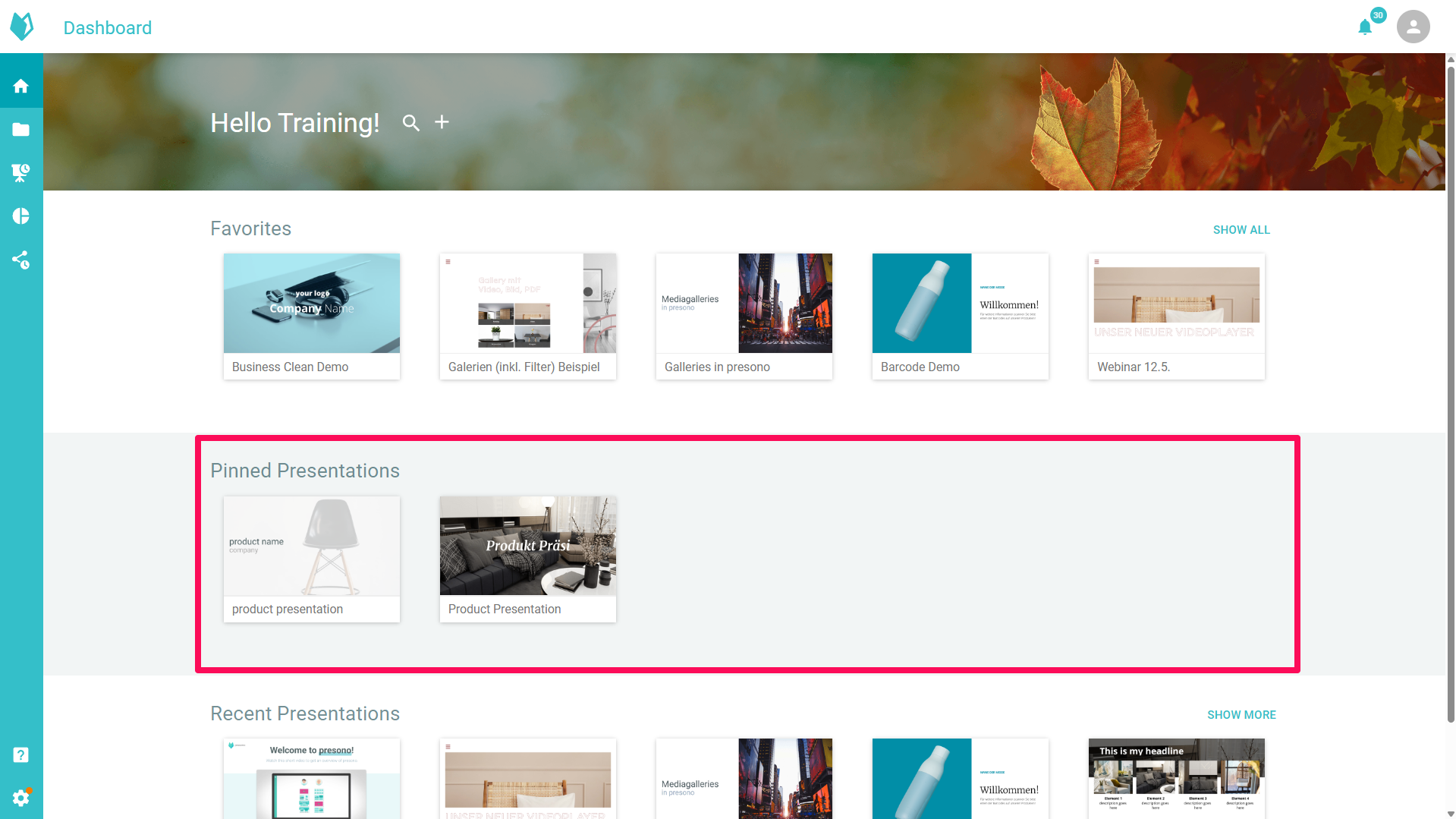
With the new “Group Favorites” feature, new or particularly important presentations can be added as favorites so that they are quickly accessible to everyone in the group. No more long searches — instead, direct access to the most important content. In our Knowledge Base, we show you how to create, manage, and specifically authorize favorites.
Copy section to clipboard
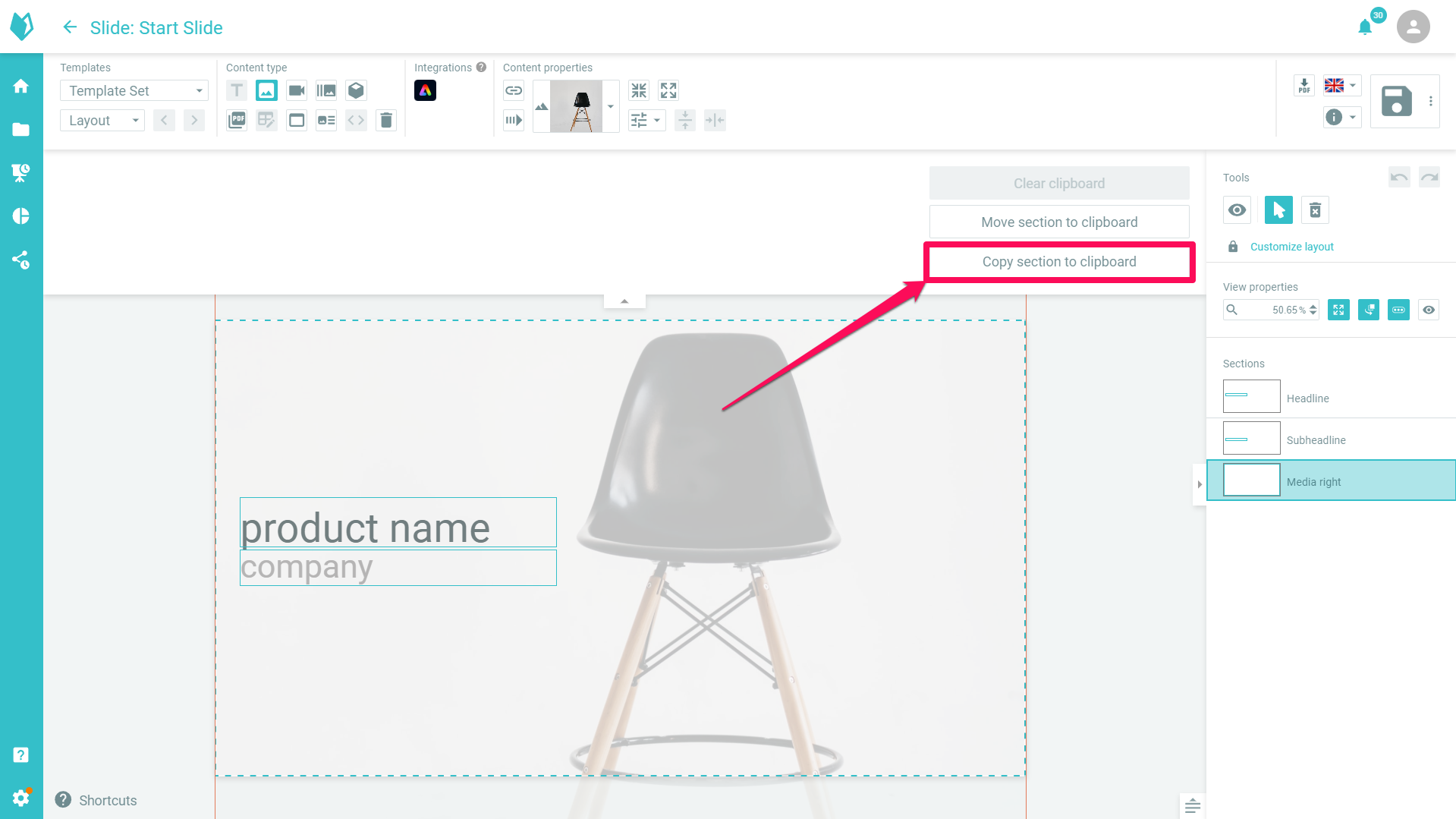
Our clipboard has been a practical tool for rearranging content on slides or trying out alternative layouts for a long time. Now it's even smarter: in addition to moving content, you can now also copy content to the clipboard. This makes it easy to duplicate entire sections — such as media galleries, elaborately formatted text, or complex settings — without having to recreate them. This allows you to keep the original section intact while testing variations — without any additional effort.
Various bug fixes
Over the past few weeks and months, we have been working hard on your feedback and have implemented numerous small improvements and optimizations. Many details have been adjusted to make presono even more user-friendly, stable and powerful!
- Option to pause on the last image instead of the first image in an object viewer
- Videos on a slide are muted when an overlay with another video is opened
- Automatic creation of session PDFs when offline mode is disabled in the desktop app
- And much more!
Apps
To use these new features in the desktop app, you will need to update it. You can find the latest versions here: